Understanding enabledPlugins in Claude Code
What the enabledPlugins setting is, how its three states work, and why project scope can override your user scope
enabledPlugins is the block in your Claude Code settings.json that records which installed plugins are switched on. You rarely write it by hand because the /plugin command edits it for you, but understanding what it represents explains why a plugin sometimes stays active even after you think you disabled it.
What the setting looks like
enabledPlugins is a JSON object. Each key is a plugin identifier and each value is a boolean:
"enabledPlugins": {
  "code-review@claude-plugins-official": false,
  "chrome-devtools-mcp@claude-plugins-official": true
}
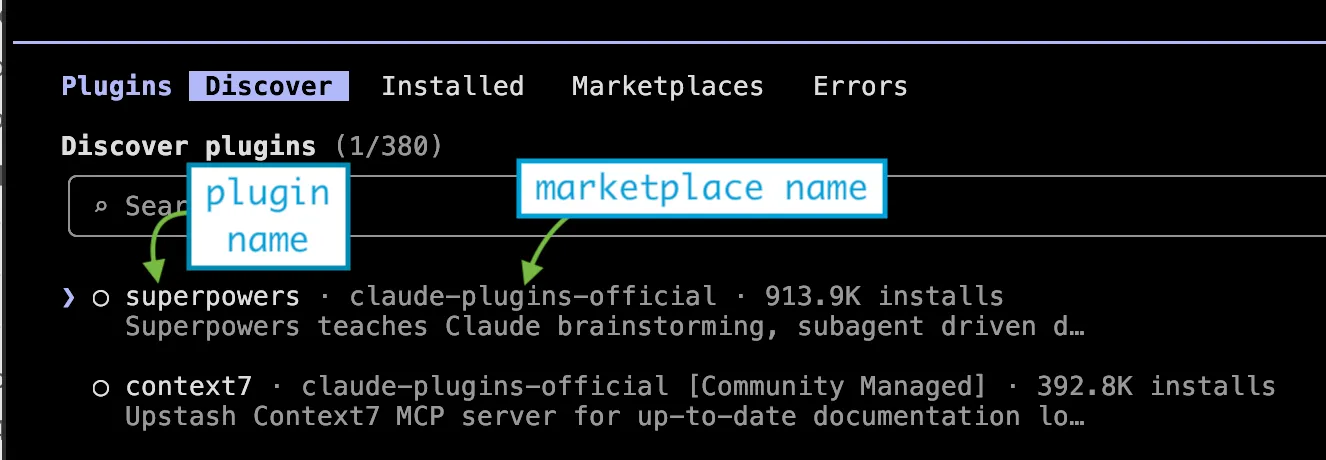
The key is always plugin-name@marketplace-name. The marketplace half is not decoration: the same plugin name can exist in two marketplaces, and the identifier is what keeps them apart. This is why the /plugin menu shows you both parts when you install.
Three states, not two
A boolean value suggests two states, but a plugin actually has three, because it can also be unlisted, i.e., absent from the settings.json:
true— the plugin is active and loaded into your session.false— the plugin is installed but disabled. It stays on disk; it just does not load.- absent — the plugin is not mentioned at all. Claude Code falls back to the plugin’s own
defaultEnabledfield in itsplugin.json, which itself defaults totrue.
The third state matters. “Not in my settings.json” does not mean “off.” A freshly installed plugin that ships with defaultEnabled: true is active before your settings file says a single word about it. enabledPlugins is an override layer on top of each plugin’s own default, not the sole source of truth.
Why scope decides who wins
Claude Code reads settings from four places, and they are layered from strongest to weakest:
- Managed (
managed-settings.json) is set by your organization; cannot be overridden. - Local (
.claude/settings.local.json) is your personal, gitignored overrides for one machine. - Project (
.claude/settings.json) is shared with the team, committed to the repository. - User (
~/.claude/settings.json) is your defaults across every project.
Higher layers win. This produces the behavior that surprises people most: a plugin a project enables cannot be turned off by your user settings. If .claude/settings.json in the repo sets a plugin to true, writing false in your ~/.claude/settings.json changes nothing, because project beats user. The lever that does work is .claude/settings.local.json, which sits above project scope and stays out of git.
Read the layering the other way and the design makes sense: a team can guarantee everyone loads the same linting or review plugin, without a teammate’s personal defaults silently opting them out.
How it connects to the rest of the system
enabledPlugins does not stand alone:
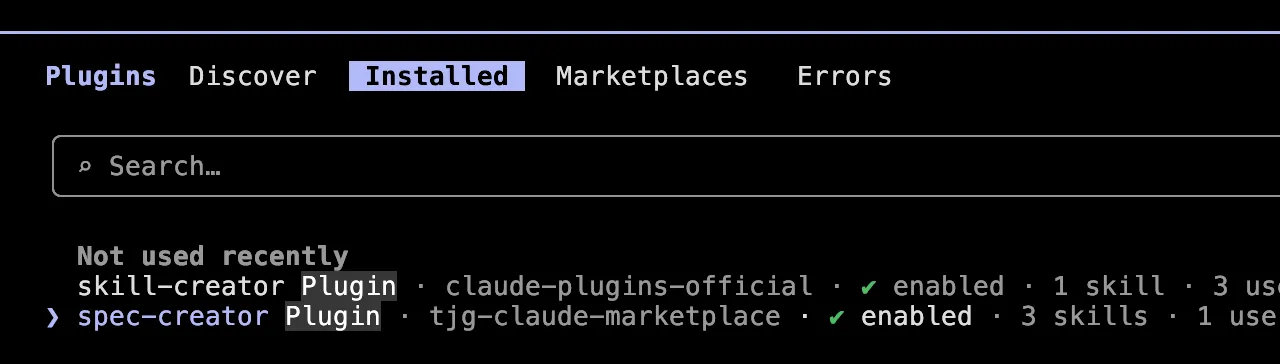
/pluginwithin Claude Code orclaude pluginfrom the command line is the front end. When you install a plugin and pick a scope,/pluginwrites thetrueentry into thesettings.jsonfor that scope. Disabling from the Installed tab flips it tofalse.extraKnownMarketplacesis where the@marketplace-namehalf comes from. A plugin can only be enabled if Claude Code knows the marketplace that supplies it.- Skills ride along. Enabling a plugin makes all of its skills available; disabling the plugin removes all of them at once. There is no way for the separate
skillOverridessetting to bring back a skill from a plugin you have switched off.
Takeaways and action points
enabledPluginsmapsplugin@marketplacetotrueorfalse; an absent plugin defers to its owndefaultEnabled.- Absent is not off — a plugin can be active without appearing in your settings at all.
- Project scope outranks user scope, so use
.claude/settings.local.jsonwhen you need to opt out of a project-enabled plugin on your machine. - Let
/pluginedit the block for you; read the block yourself when you need to understand why a plugin is or is not loading.
Dear fellow developer, thank you for reading this article about how enabledPlugins works in Claude Code. Until next time, TheJavaGuy salutes you 👋!